
How to Use AI in SharePoint for Lawyers:
Activating Native Legal Intelligence
For the modern law firm, Microsoft SharePoint is no longer a passive document repository; it has become the primary engine of firm-wide institutional knowledge and legal memory. Yet despite widespread adoption of SharePoint in Microsoft 365 environments, many law firms struggle to unlock the full value of their data. The result is pervasive “dark data”—thousands of high-value legal work products, research memoranda, internal opinions, briefs, and executed agreements that remain technically stored but practically unsearchable, disconnected, and underutilized.
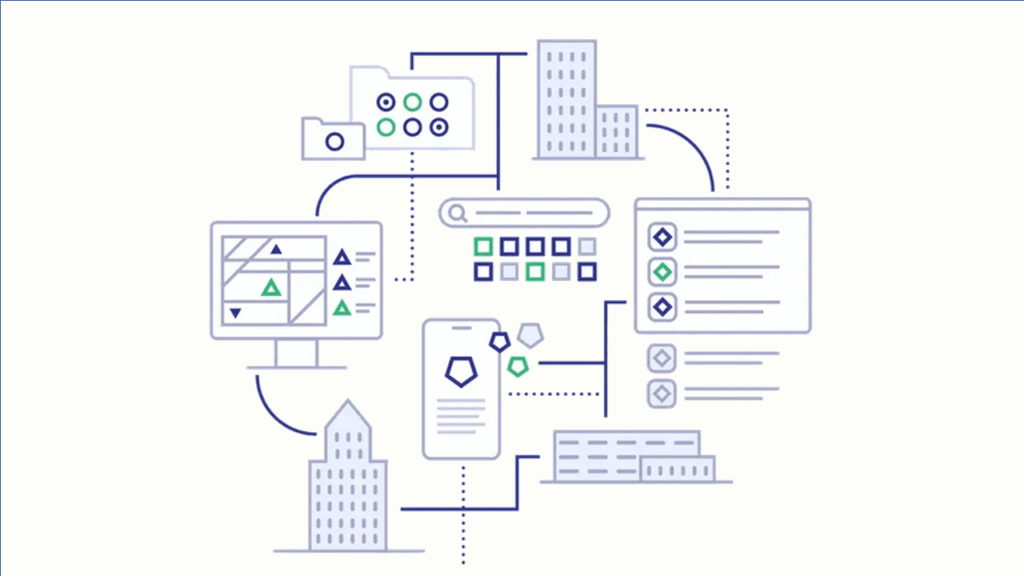

While generic AI tools for SharePoint offer basic document summarization or keyword search enhancements, they fall short of what legal professionals actually need. True Native Legal Intelligence in SharePoint requires a specialized, in-tenant architectural approach. To use AI in SharePoint effectively for legal work, firms must move beyond simply “chatting with documents” and instead build a matter-centric legal intelligence ecosystem that respects attorney–client privilege, ethical obligations, verification requirements, and role-based access control.
1. Establishing the In-Tenant Foundation for Legal AI in SharePoint
The first step in using AI within a legal SharePoint environment is ensuring data sovereignty and security. Many traditional “external AI” solutions require exporting documents or embeddings to third-party servers, creating unacceptable risks to client confidentiality, regulatory compliance, and professional responsibility obligations.

Ensuring Entra ID–Governed Access Controls
Before activating AI in SharePoint for law firms, organizations must audit and validate their Microsoft Entra ID (formerly Azure Active Directory) permissions. Native, in-tenant legal AI—such as the Arivu.Legal Resident Agent—operates entirely within the firm’s Microsoft 365 tenant and honors existing SharePoint security boundaries.

If an associate is not authorized to access a partner-level folder, confidential client site, or restricted matter workspace in SharePoint, the AI will not surface, summarize, or reference that information in its responses. This Zero-Trust, permission-aware architecture ensures that AI augments legal productivity without compromising internal Chinese Walls, ethical screens, or confidentiality obligations.
Moving from Folder Hierarchies to Conceptual Legal Metadata
Traditional SharePoint deployments rely heavily on nested folder structures. By contrast, AI-enabled SharePoint for lawyers relies on conceptual indexing and legal metadata extraction. Instead of navigating through Client > Matter > Drafts, lawyers can query SharePoint by legal intent and doctrine.

For example, AI can identify and compare all “Change of Control” clauses across a decade of M&A agreements, regardless of which document library, client site, or historical folder those files reside in. This transforms SharePoint from a filing cabinet into a legal knowledge graph.

2. Solving the Legal Hallucination Gap with Grounded Verification
The most significant barrier to AI adoption in law firms is the risk of AI hallucinations—instances where a model generates plausible-sounding but inaccurate legal analysis, citations, or precedent. Generic SharePoint AI is especially prone to this risk because it lacks a legal-specific verification and grounding mechanism.
The Arivu.Legal Verification Shield
To produce authoritative, defensible legal work product, Arivu.Legal implements a Verification Shield designed specifically for legal use cases. When a lawyer asks a question about firm precedent, case law, or internal legal guidance, the system performs a dual-layer verification process:
- Internal Grounding: The AI searches the firm’s private SharePoint libraries to locate the relevant Advice of Record, prior memoranda, or approved work product.
- External Validation: The results are cross-referenced against authoritative public sources, including the CourtListener API, which provides access to more than 400 million public court records.
This approach ensures that AI-driven answers in SharePoint are not merely inferred from language patterns, but instead are anchored to verifiable law and firm-approved legal positions, significantly reducing risk.
3. Integrating AI into the Legal Workflow Across Microsoft 365
AI in SharePoint delivers the greatest value when it is embedded directly into the tools lawyers already use, rather than existing as a standalone interface. For most law firms, this means deep integration with Microsoft Word and Outlook.

Outlook Matter Triage: The Front End of SharePoint Intelligence
The lifecycle of a legal document often begins in the inbox. With Outlook Matter Triage, AI can analyze incoming client inquiries and immediately “look back” into SharePoint to identify how similar matters were previously handled. This creates a seamless bridge between communication and knowledge management.

As a result, every response drafted in Outlook can be informed by the firm’s historical expertise, precedent, and risk posture—improving consistency, speed, and quality of client advice.
Resident Agents in Microsoft Word for Context-Aware Drafting
While drafting agreements, motions, or memoranda in Word, a Resident AI Agent can surface clause precedents, fallback language, and annotated examples directly from SharePoint. This “drafting with context” approach eliminates the inefficiency of reinventing the wheel and reduces the risk of outdated or inconsistent language.

Associates begin every document from the firm’s highest-quality, previously vetted work product—embedded directly into their drafting workflow.
4. The Strategic Path to Native Legal Intelligence in SharePoint
The transition to an AI-powered SharePoint environment should be deliberate, secure, and aligned with firm leadership priorities.
Implementation Roadmap for Law Firm Leadership
Phase 1:
Knowledge Audit
Identify the “gold standard” SharePoint libraries containing your most reliable legal work product, precedent, and internal guidance.
Phase 2:
In-Tenant AI Deployment
Deploy a Resident Agent like Arivu.Legal entirely within your Azure and Microsoft 365 boundary, preserving full data sovereignty and compliance.
Phase 3:
Workflow Activation
Embed AI into Microsoft Word and Outlook to transform SharePoint from a passive document library into an active legal consultant.
By adopting a native, in-tenant legal AI approach, law firms can finally unlock the institutional knowledge trapped in their SharePoint environments—while maintaining the highest standards of security, accuracy, privilege, and professional responsibility.
Frequently Asked Questions (FAQ):
AI in SharePoint for Lawyers
What does “AI in SharePoint for lawyers” actually mean?
AI in SharePoint for lawyers refers to the use of artificial intelligence systems that operate directly within a law firm’s Microsoft SharePoint and Microsoft 365 environment to analyze, retrieve, and contextualize legal documents. Unlike generic AI tools, legal-grade SharePoint AI is permission-aware, matter-centric, and designed to respect attorney–client privilege, ethical walls, and verification requirements.
How is native legal AI different from generic SharePoint AI or Copilot?
Native legal AI is deployed in-tenant, meaning it operates entirely within the firm’s Microsoft 365 and Azure boundary. Generic SharePoint AI or copilots often rely on broad language models optimized for general productivity, not legal accuracy. Native legal AI incorporates legal metadata, precedent awareness, matter context, and verification mechanisms that generic tools do not provide.
Is it safe to use AI in SharePoint with confidential client data?
Yes—when AI is deployed natively within the tenant and governed by Microsoft Entra ID permissions. In-tenant legal AI respects existing SharePoint access controls, ensuring users can only receive AI-generated insights from documents they are authorized to view. This architecture supports confidentiality, data sovereignty, and regulatory compliance.
How does AI in SharePoint avoid legal hallucinations?
Legal hallucinations are mitigated through grounded verification. Instead of generating answers based solely on probabilistic language models, native legal AI systems cross-reference internal firm precedent with authoritative external legal sources. This ensures that outputs are anchored to real documents, verified case law, and firm-approved advice.
Can AI in SharePoint identify legal clauses across multiple matters?
Yes. AI-enabled SharePoint uses conceptual indexing rather than folder-based navigation. Lawyers can search by legal concept—such as “Change of Control,” “Force Majeure,” or “Indemnification”—and retrieve relevant clauses across years of agreements, regardless of client, matter, or document location.
How does AI integrate into Microsoft Word for legal drafting?
Through resident agents embedded directly into Microsoft Word, AI can suggest clause precedents, fallback language, and drafting guidance sourced from SharePoint. This allows lawyers to draft documents using the firm’s best historical work product without leaving Word or manually searching document libraries.
What role does Outlook play in AI-powered SharePoint workflows?
Outlook often serves as the entry point for legal work. AI-enabled Outlook Matter Triage analyzes incoming emails and queries SharePoint to surface how similar matters were previously handled. This ensures that responses drafted in Outlook are consistent with firm precedent and institutional knowledge.
Does AI in SharePoint replace legal research tools?
No. AI in SharePoint complements, rather than replaces, traditional legal research platforms. Its primary role is to surface internal firm knowledge and validated precedent efficiently, while external research tools remain essential for comprehensive legal analysis and jurisdiction-specific research.
What is “matter-centric” AI in a legal context?
Matter-centric AI organizes knowledge around legal matters rather than documents or folders. This means AI understands relationships between clients, matters, issues, clauses, and outcomes—enabling more accurate retrieval, comparison, and contextual analysis within SharePoint.
How long does it take to deploy AI in SharePoint for a law firm?
Deployment timelines vary based on data readiness and governance maturity. A phased approach—starting with a knowledge audit, followed by in-tenant deployment and workflow integration—allows firms to adopt AI incrementally while maintaining control over security and compliance.
Who benefits most from AI in SharePoint within a law firm?
Associates benefit from faster access to precedent and drafting guidance, partners gain consistency and risk reduction, knowledge management teams improve reuse of institutional expertise, and clients benefit from higher-quality, faster legal advice grounded in firm experience.